How to transcribe Bilibili videos: transcript, subtitles, and English translation
A practical guide to turning a public Bilibili video into a transcript, subtitle file, or English translation without downloading the video first.
Last verified 2026-05-01. Bilibili changes its share-link formats (BV / AV / b23.tv) and player infrastructure occasionally; if a specific link format stops working, fall back to the canonical www.bilibili.com/video/BV... URL described below.
Bilibili videos are often hard to work with outside China-focused tools. A video may have valuable lectures, anime commentary, gaming analysis, product reviews, or conference talks, but the transcript is not always available in a format you can search, quote, translate, or turn into subtitles. Generic transcription tools, built around file upload or YouTube-style URLs, typically reject BV... IDs, fail on b23.tv short links, or get tripped up by m.bilibili.com mobile URLs.
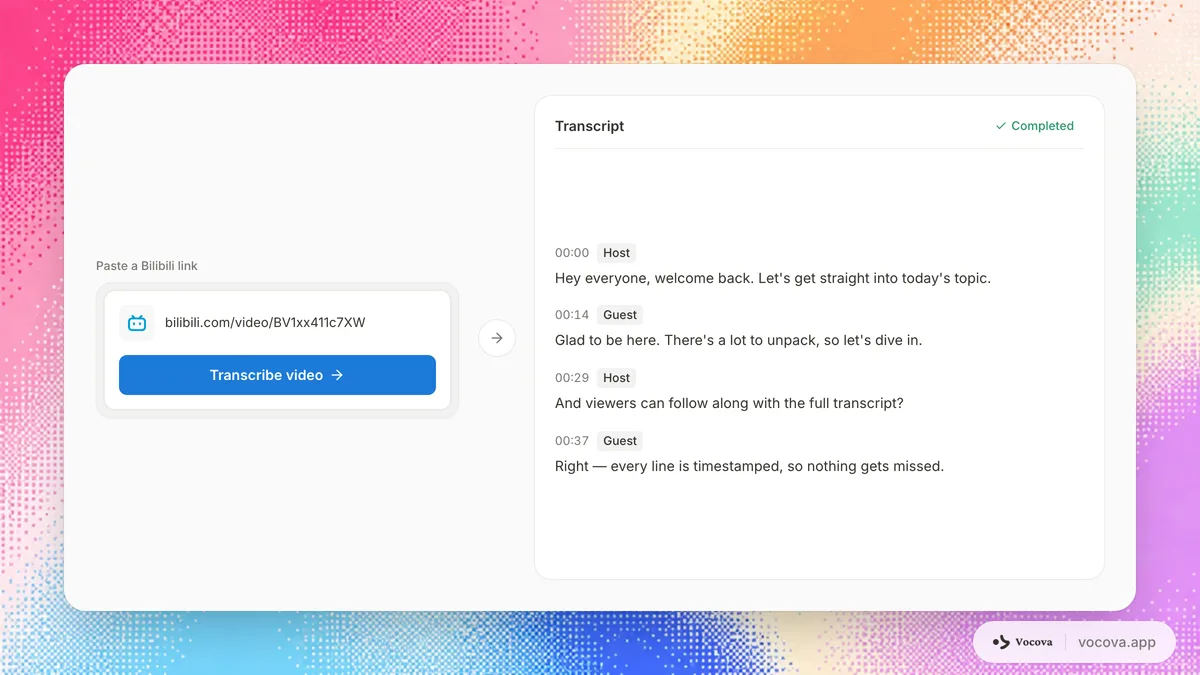
The fastest workflow is simple: copy the public Bilibili URL, paste it into a Bilibili-aware transcription tool, generate the transcript, then export text, subtitles, or an English translation. If the video is public and the link can be opened without signing in, you usually do not need to download the video manually.
Use Transcribe Bilibili when you want a direct Bilibili-to-text workflow.
Transcribe responsibly. Transcribe only Bilibili content you own or are authorized to use. Downloading videos you do not own may breach Bilibili’s User Agreement (用户协议) and copyright; respect creators’ rights and platform terms.
Quick workflow
| Step | What to do | Output |
|---|---|---|
| 1 | Copy the Bilibili video URL, BV link, mobile link, or b23.tv short link | A public source URL |
| 2 | Paste the URL into Transcribe Bilibili | Vocova fetches the media server-side |
| 3 | Let the spoken language auto-detect, or choose it manually | A timestamped transcript |
| 4 | Review names, terms, and speaker labels | Cleaner transcript text |
| 5 | Export TXT, PDF, DOCX, SRT, VTT, or CSV depending on your plan | Text, document, or subtitle file |
| 6 | Translate to English if needed | English transcript or bilingual output |
What counts as a Bilibili transcript?
A Bilibili transcript can mean three different things:
- Plain transcript: the spoken words converted to text.
- Subtitle file: timed captions in SRT or VTT format.
- Translated transcript: the original transcript translated into another language, often Chinese to English.
Those outputs serve different jobs. A student may want searchable notes. A researcher may need timestamps for citations. A creator may need subtitles for a localized video. A translator may need side-by-side Chinese and English text.
Vocova starts from the same transcription step and then lets you choose the output format that matches the job.
Step 1: copy the Bilibili video URL
Use the normal browser URL when possible:
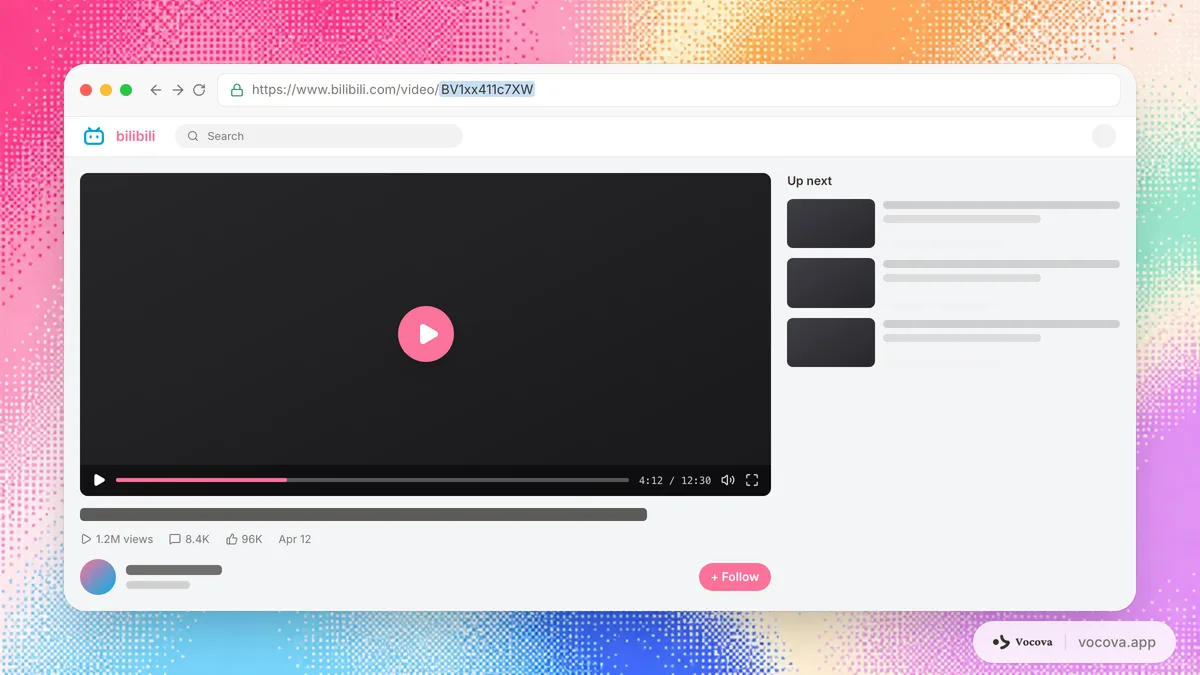
https://www.bilibili.com/video/BV1xx411c7XW
Mobile URLs and short links can also work when they resolve to a public video:
https://m.bilibili.com/video/BV...
https://b23.tv/...
The important test is whether the link opens in an incognito browser window without your account. If it requires a login, membership access, age gate, private workspace, or region-specific authentication, a server-side transcription tool cannot fetch it as you.
Step 2: paste the link into a Bilibili transcription tool
Open Transcribe Bilibili, paste the URL, and start the transcription. This avoids the usual manual sequence:
- Find a Bilibili downloader.
- Save the video locally.
- Extract audio.
- Upload the audio to a transcription app.
- Wait for a second upload.
That detour is slow and brittle. A paste-a-link workflow is cleaner because the media is fetched directly from the public URL.
If you already downloaded the file or received it from someone else, use video to text instead.
Step 3: choose language settings
For most Bilibili videos, automatic language detection is enough. Vocova supports transcription in 100+ languages and can detect the spoken language before generating the transcript.
Choose the language manually when:
- The video has a strong regional accent.
- The first minute contains music, intro graphics, or non-speech audio.
- The video switches between Mandarin, Cantonese, English, Japanese, Korean, or another language.
- You know the target language and want to reduce detection ambiguity.
For mixed-language videos, keep expectations realistic. AI transcription handles common code-switching better than older tools, but frequent switching between languages can still require manual cleanup.
Step 4: clean the transcript
Bilibili content has a recognisable pattern: long stretches of clean Mandarin punctuated by proper nouns the model has rarely seen: UP主 (creator) names, anime and manga titles, game IDs, fandom slang (CP, 二创, 鬼畜, 弹幕 references), tech terminology code-switched into English (Transformer, pipeline, latency), and product names that mix Chinese and Latin characters (e.g., 小米 14 Ultra, iPad Pro M4). Automated transcription handles the spoken Mandarin well; it routinely mangles those proper nouns. That is the highest-leverage place to spend cleanup time.
Use this cleanup pass:
- Fix UP主 and guest names first. A Mandarin-trained model often picks plausible-sounding characters that are wrong (e.g., 小红 vs. 晓宏). Search-and-replace each name once and the rest of the transcript falls into place.
- Standardize game, anime, music, and product names. Decide whether you want the original (
原神) or romanised (Genshin Impact) form, then apply consistently, this matters for translation later. - Correct Chinese-English mixed terms. Tech, gaming, and academic Bilibili videos switch into English mid-sentence ("我们今天讲 attention mechanism"). The model usually transcribes the English token correctly but may romanise it to pinyin if the audio is unclear.
- Spot弹幕 references. Speakers often react to live comments ("看弹幕说...", "前方高能"). Decide whether to keep these as colour or strip them for a cleaner transcript.
- Split long paragraphs into readable sections. Bilibili monologues run long; break by topic for note-friendly export.
- Remove repeated intro/outro phrases ("一键三连", "记得点赞投币收藏关注") if you are creating notes rather than subtitles.
- Keep timestamps if you need citations or subtitles.
If the audio is noisy, use the same cleanup principles from how to get accurate transcriptions from noisy audio. For language-specific accuracy expectations across Mandarin, Cantonese, Japanese, and English, see transcription accuracy by language.
Step 5: export the right format
Choose the export based on where the transcript goes next.
| Need | Best export | Why |
|---|---|---|
| Searchable notes | TXT | Lightweight and easy to copy |
| Document review | DOCX or PDF | Better for sharing and comments |
| Video subtitles | SRT | Best compatibility with video editors and platforms |
| Web captions | VTT | Better for HTML5 video and web players |
| Data analysis | CSV | Useful when you need timestamps, speakers, or segments in a table |
| Translation review | Bilingual PDF or DOCX | Keeps source and translation side by side |
If your goal is subtitles, see the SRT generator, VTT generator, and the broader subtitle file formats guide.
How to translate a Bilibili video to English
The cleanest translation workflow is:
- Transcribe the Bilibili video in the original spoken language.
- Review the original transcript enough to fix names and key terms.
- Translate the transcript into English.
- Export the English transcript, or export bilingual source-and-English output.
- If you need captions, export translated SRT or VTT.
Do not skip the original transcript review when the video has proper nouns, slang, fandom vocabulary, or technical content. Translation quality depends on source transcript quality. A mistranscribed name in Chinese will almost always stay wrong in English, and the kinds of errors Bilibili content produces are particularly hard to spot in translation, because:
- Proper nouns and slang flatten into generic English. A wrong UP主 name in Chinese becomes a "translated" English name that reads fluently but identifies nobody.
- Anime and game titles diverge from the official English release.
咒术回战should translate toJujutsu Kaisen, not a literal back-translation. If the source transcript guessed the title wrong, the English output drifts further from the actual work. - Tech terms over-translate. Speakers often code-switch (
embedding,latency), and an over-eager translator may convert the English back into Chinese-derived English (embedded thing). Keep code-switched English as English in the source transcript. - Numbered references lose meaning.
B 站(= bilibili.com) literally translates to "B-station"; review whether your audience needs the original abbreviation, the platform name, or both.
Use translate video when the final deliverable is an English transcript or English subtitle file. For Mandarin-to-English specifically, use translate audio and choose English as the target after extracting the source audio; for Cantonese Bilibili content (Hong Kong / Guangdong creators), use transcribe Cantonese on the source step.
Bilibili transcript use cases
Students and language learners
A transcript makes a Bilibili lecture or tutorial searchable. You can copy examples, build vocabulary lists, or translate difficult sections without replaying the same clip repeatedly.
For language learning, bilingual output is especially useful: original Chinese on one side, English on the other. See bilingual subtitles for side-by-side workflows.
Researchers and journalists
When a Bilibili video is evidence or source material, timestamps matter. Keep timestamps in the transcript so every quote can be traced back to the original video. For research notes, DOCX or CSV is usually easier to work with than plain text.
Creators and localization teams
Creators often need subtitles rather than a plain transcript. Generate the transcript first, translate it if needed, then export SRT or VTT. This keeps the subtitle timing tied to the original speech.
Marketing and social teams
Long Bilibili videos often contain reusable clips, quotes, product explanations, and audience language. A transcript makes it easier to pull hooks, summarize talking points, and localize short clips for other platforms.
Troubleshooting
The Bilibili link fails
Check whether the link opens in an incognito window. If it does not, the transcription tool cannot fetch it. Try the canonical www.bilibili.com/video/BV... URL instead of a share wrapper.
The transcript starts with the wrong language
Manually select the language before starting. This helps when the video opens with music, sound effects, or English title cards before the main Chinese audio.
The transcript misses names or technical terms
Correct the transcript before translation or subtitle export. Proper nouns are the highest-leverage cleanup task.
The subtitles are too long per line
Use SRT or VTT export settings that wrap lines more aggressively. Subtitle readability depends on line length, not just timing.
The video has existing Bilibili captions
Existing captions can be useful, but they are not always downloadable, complete, or translated. A fresh transcript is better when you need editable text, bilingual output, or your own subtitle file.
The Bilibili video is too long or too large to import
URL imports run server-side, which means the source media has to fit within a server-side fetch budget. A long lecture or a multi-hour livestream replay can exceed that even at moderate bitrate. If the import fails on a long video, the cleanest workaround is:
- Download the video file yourself if you have permission and the platform allows it.
- Open video to text and upload the file directly. Plus / Pro support uploads up to 5 GB.
- The transcript editor, language settings, export formats, and translation flow are identical to the URL-import path.
For ongoing long-form Bilibili work (a course series, a multi-episode lecture set), uploading the original file is usually faster and more reliable than re-pasting URLs.
Frequently asked questions
Can I transcribe a Bilibili video without downloading it?
Yes, if the video is public. Paste the Bilibili URL into Transcribe Bilibili and Vocova can fetch the media server-side. If the video is private or requires login, download the file yourself if you have permission and use video to text.
Can I translate a Bilibili video to English?
Yes. First generate the original transcript, then translate it to English. For best results, quickly review the source transcript before translating so names, game titles, creator names, and technical terms are correct.
Can I export Bilibili subtitles as SRT or VTT?
Yes. After transcription, export subtitles as SRT for broad compatibility or VTT for web video workflows. SRT and VTT export are available on Plus / Pro.
Does this work for b23.tv short links?
It can, as long as the short link resolves to a public Bilibili video. If the short link fails, open it in your browser and copy the final bilibili.com/video/BV... URL.
What if the Bilibili video mixes Chinese and English?
Automatic transcription can handle many mixed-language sections, but code-switching is harder than single-language audio. Choose the main spoken language manually, then review mixed-language sections before translating or exporting subtitles.
Is a Bilibili transcript legal to use?
Only transcribe and reuse videos you have the right to process. A transcript can be useful for personal study, accessibility, research, or authorized localization, but republishing someone else's content may require permission.
The short version
If you need a Bilibili transcript, avoid the download-upload detour. Paste the public Bilibili URL into Transcribe Bilibili, generate a timestamped transcript, clean UP主 names and proper nouns, then export TXT, DOCX, PDF, SRT, VTT, CSV, or an English translation depending on your workflow. For very long lectures or livestream replays that exceed the URL-import size budget, download the file yourself and use video to text instead.
Related guides
- Best free transcription tools in 2026: comparing Vocova, Riverside, Whisper, Otter, Notta, Google Recorder, and Happy Scribe on free-plan limits.
- How to transcribe online videos and podcasts by pasting a link: the broader URL-import workflow across YouTube, SoundCloud, Dailymotion, podcasts, and cloud drives.
- How to transcribe audio in multiple languages: workflow for code-switching, bilingual review, and translation export.
- Transcription accuracy by language: WER tier expectations for Mandarin, Cantonese, Japanese, and English.